

Updated March 26, 2026
TL;DR: Static passes are credentials. Updating passes are relationships.
- Updates are the feature that separates wallet passes from plastic cards
- A pass that never updates sinks in priority. A pass that updates stays visible.
- Update when something meaningful changes — not to update
- Design update moments, not just update mechanics
Overview
A customer just made a purchase. They open their wallet. The loyalty balance is the same as yesterday.
"Did my points not count?" They check the receipt. The points were recorded. But the pass never updated.
The customer doesn't think "the system has latency." They think "this doesn't work."
Static passes are credentials. Updating passes are relationships.
Most teams treat updates as a nice-to-have — something they'll add later. This is backwards. Updates are the feature that separates wallet passes from plastic cards.
Why are updates the most underused wallet pass feature
Updates transform passes from static credentials into living objects. A loyalty card that shows an updated balance after every purchase. An event ticket that reveals seat assignments closer to the event. An access pass that changes from "Pending" to "Active" when approved.
These aren't edge cases — they're the experiences that make wallet passes genuinely useful. Yet most passes never update after installation.
How do updates affect pass surfacing
When a pass updates, the OS takes notice. Updated passes are more likely to appear in lock screen suggestions, trigger notifications, and surface at relevant moments.
The system interprets updates as a signal of ongoing relevance. A pass that updates regularly is a pass worth surfacing. A pass that never changes sinks in priority.
This creates a design opportunity: strategic updates can keep your pass visible and useful.
What happens when a pass updates
When you push an update to a pass, several things can happen. The pass content changes to reflect new values. The OS may display a notification alerting the user. The pass may re-surface on the lock screen. The user sees fresh, relevant information without opening the wallet.
The exact behavior depends on the platform, the type of change, and the user's notification settings. But the principle is consistent: updates create moments of re-engagement.
What types of content should update
Not everything on a pass should change. Design with two categories in mind: stable identity and dynamic data.
Stable identity includes the pass type, brand, and core purpose. These elements help users recognize the pass instantly. A loyalty card should always look like your loyalty card.
Dynamic data includes balances, points, status, dates, messages, and access state. These elements reflect current reality and drive the value of updates.
The design challenge is making dynamic changes obvious while keeping identity stable.
What are examples of updateable pass content
Here are concrete examples of content that benefits from real-time updates:
Text Fields
- Loyalty points balance: "1,250 Points" → "1,500 Points" after a purchase
- Membership tier: "Silver Member" → "Gold Member" after qualification
- Reward status: "2 more visits to earn free coffee"
- Access status: "Pending Approval" → "Access Granted"
- Event details: "Gate TBD" → "Gate B12" as information becomes available
- Expiration countdown: "Expires in 7 days" → "Expires tomorrow"
Barcodes and Credentials
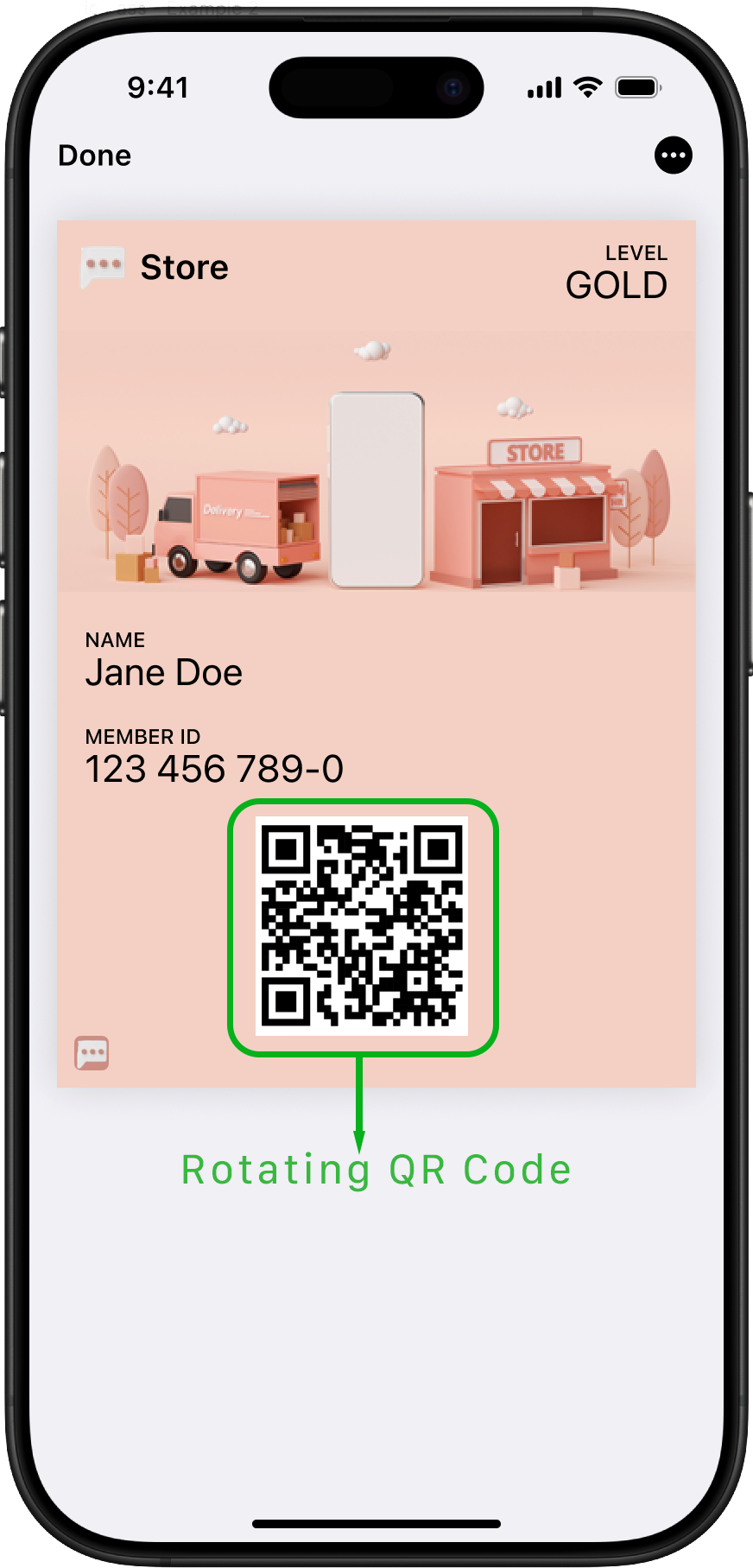
- Rotating barcodes: Security-focused passes can update the barcode value periodically to prevent screenshots from being reused
- One-time codes: Generate a fresh QR code for each use
- Dynamic NFC payloads: Update the NFC message based on user status or time
Images
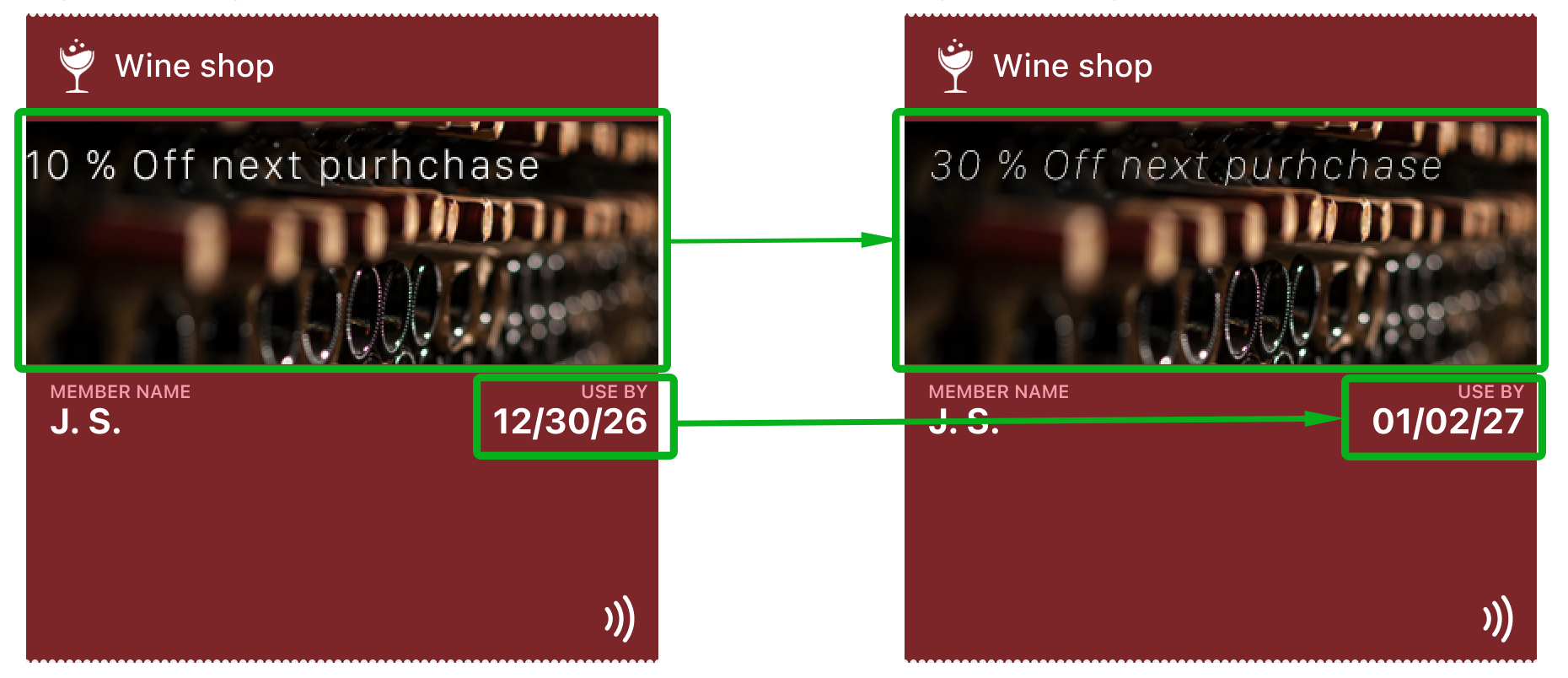
- Strip image: Update promotional banners for seasonal campaigns or new offers
- Hero image: Change event artwork as the date approaches or for VIP upgrades
- Thumbnail: Reflect current membership tier with different badge images
- Logo: Swap for special edition or holiday branding
Dates and Times
- Event start time: Update if schedule changes
- Validity windows: "Valid 9am-5pm" for time-restricted access
- Check-in time: Show confirmed reservation time
Messages and Notifications
- Back-of-pass messages: Add terms, instructions, or support information
- Relevant locations: Update geofences for new store openings
- Contact information: Change support phone or email
Status Indicators
- Ticket status: "Unused" → "Checked In" → "Event Complete"
- Payment status: "Balance Due" → "Paid in Full"
- Verification status: "Unverified" → "Identity Verified"
| Update Type | Example Use Case | Update Frequency |
|---|---|---|
| Loyalty Points | Coffee shop rewards balance | After each transaction |
| Rotating Barcode | Membership card security | Every few hours |
| Strip Image | Seasonal promotion banner | Weekly or monthly |
| Access Status | Employee badge activation | When status changes |
| Event Gate | Concert or flight boarding | Hours before event |
| Membership Tier | Hotel or airline status | When tier changes |
How do you make updated fields visually obvious
When a field changes, users need to notice immediately. The pass appears briefly — often for less than a second. If the change isn't obvious, the update is wasted.
Strategies for highlighting changes include positioning dynamic fields prominently, using the primary and secondary field areas for changing values, keeping labels consistent while values change, and considering how color or formatting can signal state changes.
Apple Wallet and Google Wallet handle the visual presentation, but you control which fields contain dynamic data and where they appear in the hierarchy.
What is the difference between push updates and pull updates
Wallet passes support two update models. Push updates are initiated by you — when something changes, you send the new data to installed passes. Pull updates happen when the device periodically checks for changes.
Push updates are immediate and reliable. When a user earns points, the pass updates right away. Pull updates are fallback mechanisms that ensure passes eventually sync even if a push fails.
For time-sensitive changes like access activation or balance updates, push updates are essential.
How often should passes update
Update frequency depends on your use case. A transit pass might update with every tap. A loyalty card updates after purchases. An event ticket might update as event details are confirmed.
The key principle: update when something meaningful changes. Gratuitous updates annoy users and may cause them to disable notifications. Meaningful updates build trust and engagement.
Avoid updating just to update. Every change should represent real value.
How do updates work differently on Apple and Google
Apple Wallet uses APNs (Apple Push Notification service) to push updates. When a pass updates, the device fetches the new pass data from your server. Apple also supports changeMessage — a field that displays what changed in the notification.
Google Wallet uses a different model. Updates are pushed through the Google Wallet API, and changes reflect immediately. Google handles the notification presentation automatically based on the type of change.
Both platforms support real-time updates, but implementation details differ. Design for the concept of updates first, then adapt to platform specifics.
What is the changeMessage field and how should you use it
Apple Wallet supports a changeMessage field that appears in the update notification. This message tells users what changed without requiring them to open the pass.
Effective changeMessage examples: "Your balance is now 2,500 points", "Your access has been approved", "Gate changed to B12".
Poor changeMessage examples: "Your pass has been updated", "Check your pass for details", or leaving it blank.
The changeMessage is your one chance to communicate the value of the update. Make it specific and actionable.
How do you design for state transitions
Many passes move through predictable states: pending to active, active to expired, locked to unlocked. These transitions are natural update moments.
Design each state clearly. Users should understand the current state at a glance. When the state changes, the visual difference should be unmistakable.
Consider using status fields, color changes (where platforms allow), or prominent text to indicate state. The transition itself is an opportunity to re-engage the user.
What mistakes should you avoid when designing for updates
Common mistakes include updating fields that users don't care about, making changes too subtle to notice, updating so frequently that users disable notifications, not updating when meaningful changes occur, and failing to test the update experience on real devices.
The worst mistake is treating passes as static. If your pass never updates, you're leaving value on the table.
The Shift
Stop designing passes. Start designing update moments.
Ask: What changes? When does it change? How will the user notice?
If you can answer those questions, you're designing a living object. If you can't, you're designing a static card.
More articles in Foundations
Most teams design wallet passes wrong. Not because they lack skill — because they bring the wrong...
How Wallet Passes Are Surfaced by the OSA wallet pass that's never surfaced is a wallet pass that doesn't exist.
Information Hierarchy in Wallet PassesYou have one second.
Interaction Design in Wallet PassesIn wallet passes, interaction design is not about what users do. It's about what the system does ...
Introduction to Designing Wallet PassesThe design looked perfect in Figma. Clean layout. Beautiful typography. Exactly what the brand wa...
Wallet Pass Design LimitationsConstraints are not limitations. They are the design system.
Wallet Pass Design Principles ChecklistEvery failed wallet pass violates one of these principles. Every successful pass embodies them.
Wallet Passes vs Apps vs WebsitesApps invite exploration. Websites enable discovery. Wallet passes demand instant recognition.