

Updated March 26, 2026
TL;DR: A coupon that arrives late does not exist. Design for timing, not persuasion.
- The 3-second window: if the offer isn't visible at checkout, it has no influence
- The truth stack: Benefit → Eligibility → Status — in that priority order
- State must be unambiguous: AVAILABLE, REDEEMED, or EXPIRED
- Single-use vs multi-use changes everything
- "But it said..." debates at checkout mean the design failed
Why Coupons Fail
A coupon that arrives late does not exist.
The value is irrelevant. The design is irrelevant. The discount is irrelevant.
If the offer is not visible at the moment of decision, it has no influence.
The 3-second window
A customer decides to buy in 3 seconds.
In those 3 seconds:
- The email is buried
- The app is closed
- The coupon is forgotten
If the offer is not visible in those 3 seconds, it does not exist.
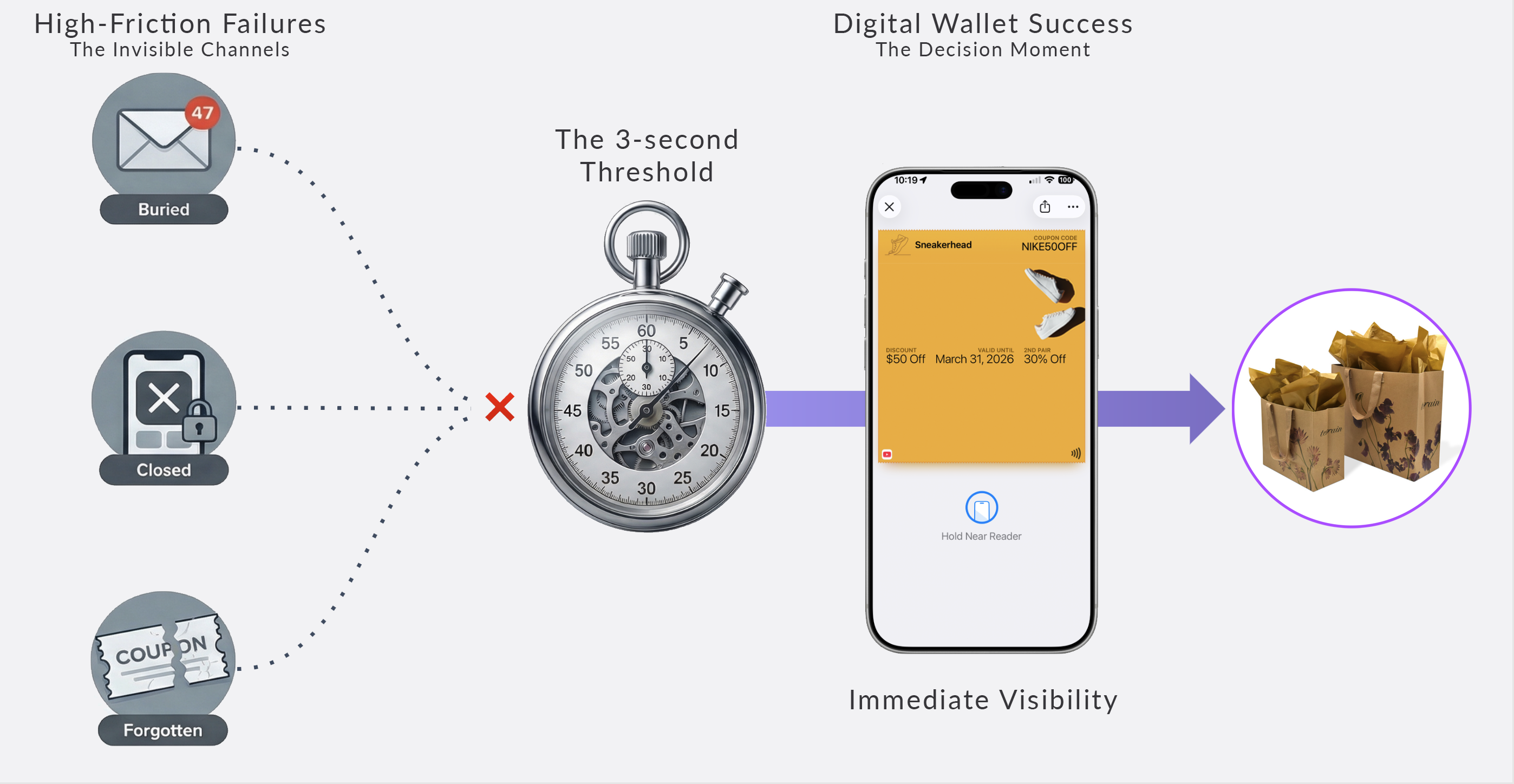
Wallet passes live in the wallet. Payment lives in the wallet. They are already in the same place. They arrive at the same moment.
That's not convenience. That's architecture.
The Architecture
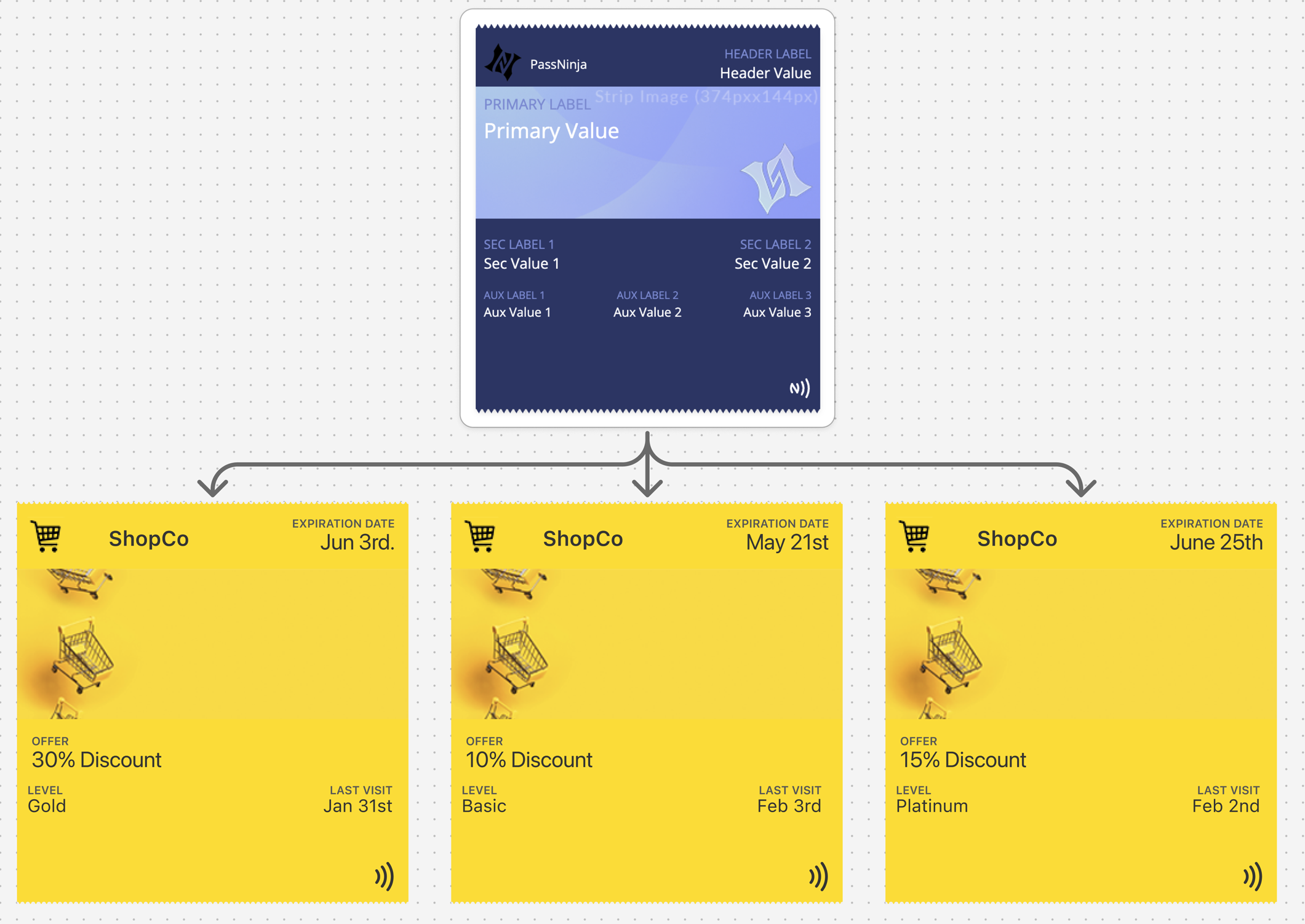
The two layers
Offer (Fixed)
- Discount or benefit
- Terms and conditions
- Brand
- Validity rules
Redemption (Variable)
- Status (active, redeemed, expired)
- Time sensitivity
- User interaction
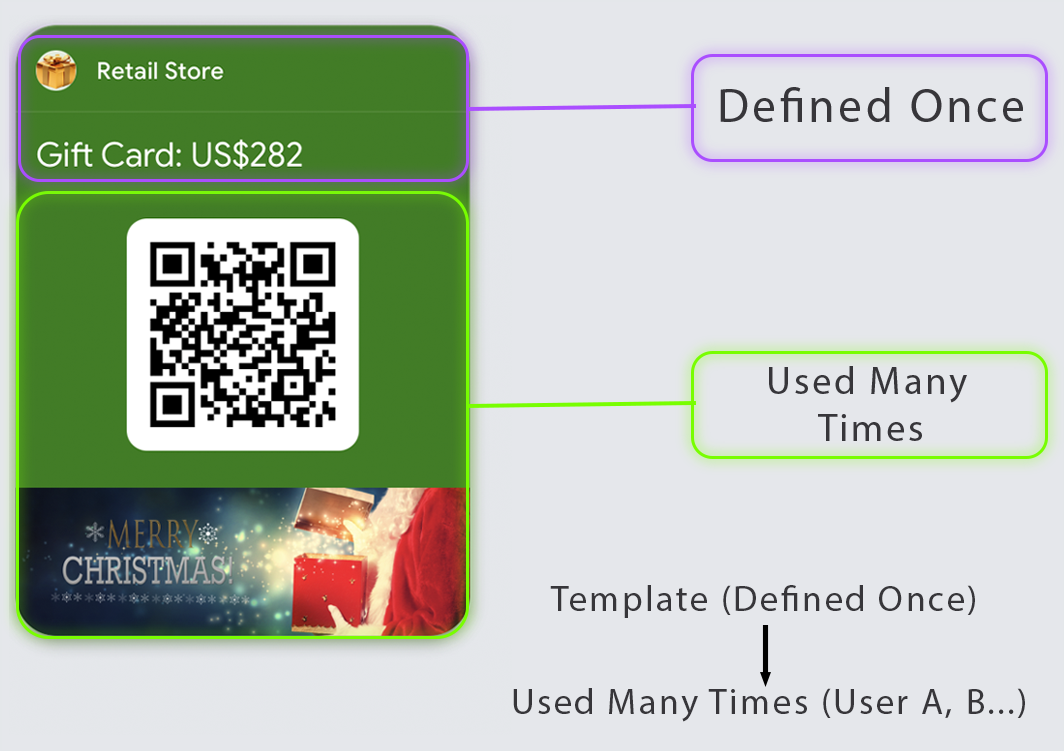
One offer, many users. One template, many passes. The pass reflects its current status.
Coupons vs Offers vs Vouchers
These terms have distinct characteristics that affect design:
Coupons — Discounts applied at checkout. Usually percentage-off or fixed-amount reductions. Typically single-use or time-limited.
Offers — Broader promotional incentives. May include free items, bonus products, or special access. Often tied to marketing campaigns.
Vouchers — Prepaid or earned value. Often represent gifts, prizes, or compensation. Typically single-use. The customer "spends" the voucher value.
| Type | Value Model | Typical Use | Design Focus |
|---|---|---|---|
| Coupon | Discount | Single-use, time-limited | Clear restrictions |
| Offer | Incentive | Campaign-driven, flexible | Benefit clarity |
| Voucher | Prepaid/earned value | Single-use, specific value | Value + redemption rules |
The Forgetting Problem
Most promotional passes die in the wallet:
- Saved with good intentions
- Buried under newer passes
- Forgotten until expired
- Rediscovered too late
Design against forgetting:
- Clear, imminent expiration dates
- Relevant location triggers
- Updates that resurface the pass
- Value that's obvious at a glance
The enemy isn't competition. It's indifference.
The Truth Stack
Every coupon, offer, and voucher communicates three truths in priority order:
- Benefit — What you get ("$10 off," "Free dessert," or "$25 voucher")
- Eligibility — When, where, for whom, and under what conditions
- Status — Available, redeemed, or expired
Design principles:
- Truth #1 (benefit) is the largest, most prominent element
- Truth #2 (eligibility) is clear and accessible, not buried
- Truth #3 (status) is impossible to miss or misinterpret
A pass that looks "used" must look unmistakably different from one that's "available."
Single-Use vs Multi-Use
The redemption model fundamentally affects design:
Single-use passes:
- State change is binary: AVAILABLE → REDEEMED
- Post-redemption appearance should be clearly "closed"
- Consider what happens after use — delete, archive, or remain visible?
Multi-use passes:
- Need usage tracking ("2 of 5 uses remaining")
- State is progressive, not binary
- Each use should be confirmed and reflected
Unlimited-use passes (during validity window):
- Expiration date is the primary constraint
- No usage counting needed
- Clear validity period display is essential
| Redemption Model | State Display | Key Design Element |
|---|---|---|
| Single-use | Binary (available/used) | Clear post-redemption state |
| Multi-use | Progressive (X of Y) | Usage counter |
| Unlimited (time-bound) | Validity period | Expiration prominence |
Eligibility on the Primary View
Eligibility restrictions cause the most checkout disputes. Surface them appropriately:
Always show on primary view:
- Expiration date (unambiguous format)
- Minimum purchase requirement (if any)
- Key exclusions (if few and critical)
- Single-use or usage limits
- Location restrictions (if not universally valid)
Move to secondary/back:
- Full terms and conditions
- Complete exclusion lists
- Legal disclaimers
The goal: no surprises at checkout.
Post-Redemption Design
What happens after redemption matters:
Immediate state change: The pass should visually transform the moment redemption is confirmed.
Clear "used" appearance: Redeemed passes should feel "closed" — consider dimmed colors, "REDEEMED" overlay, or strikethrough styling.
Remaining value (if applicable): For partial redemption or multi-use passes, remaining value/uses must be immediately visible.
Platform Reality

| Feature | Apple Wallet | Google Wallet |
|---|---|---|
| Pass type | coupon | OfferObject |
| Benefit display | Primary field (prominent) | Header/title area |
| Expiration | expirationDate field | validTimeInterval |
| State handling | Field updates + voided flag | state field |
| Redemption limit | Custom field tracking | redemptionsRemaining |
Google Wallet's OfferObject includes native support for redemption tracking. Apple Wallet requires custom field management for multi-use scenarios.
Common Mistakes
Hiding restrictions in tiny text — Eligibility surprises at checkout create disputes.
Vague benefit description — "Special offer!" means nothing. Specific benefits ("$10 off orders over $50") prevent debates.
No visible state change after redemption — The pass must look different after use.
QR embedded in decorative image — Breaks scan reliability. Always use native barcode fields.
Multiple offers in one pass — No clear "active offer" creates confusion. One pass, one clear benefit.
No expiration visibility — Users should never be surprised by "this expired yesterday."
The Shift
Stop improving the offer. Start fixing the timing.
The 3-second window is everything. If the coupon is visible in that window, it influences the decision. If it isn't, it doesn't exist.
The wallet is already open at payment. Put the coupon there.
More articles in Pass Type Design
A person approaches the door at 2AM. The guard looks at the screen. The pass is unclear. The guar...
Designing Event TicketsEvent tickets are context-bound. The context is the event.
Designing Gift Card PassesA gift card isn't just stored value. It's a gift someone chose.
Designing Identity PassesIdentity passes prove who someone is. They don't grant access, trigger actions, or validate trans...
Designing Loyalty PassesLoyalty programs don't fail because they lack rewards. They fail because they disappear at the ex...
Designing Membership PassesA membership pass must survive the front desk moment — with untrained staff, busy lines, and memb...
Designing Poster / Enhanced Event TicketsEvery creative team asks the same question:
Designing Stored Value & Balance PassesStored value passes track units — sessions, visits, credits, punches, rides, meals.