

Updated March 26, 2026
TL;DR: Loyalty fails at checkout. Design for presence, not rewards.
- Loyalty programs are forgotten, not rejected — presence is everything
- The transaction takes 3 seconds. The app takes 15. The transaction wins.
- Two modes: Identify (who?) and Redeem (what can they claim?)
- One primary truth: points, tier, reward, or visits — not all four
- Updates for state changes only — never marketing
Why Loyalty Fails
Loyalty programs don't fail because they lack rewards. They fail because they disappear at the exact moment they should appear.
At the counter. At the register. At the decision.
If loyalty is not present, it does not exist.
The speed problem
Loyalty competes with speed.
The transaction takes 3 seconds. The app takes 15.
The transaction wins. Every time.
This is why app-based loyalty fails. Not because of features. Because of physics.
What actually happens
A customer is at the counter. They are ready to pay, decide, move on.
And in that moment:
- The app is closed
- The login is forgotten
- The loyalty program is invisible
So nothing happens. No scan. No reward. No engagement.
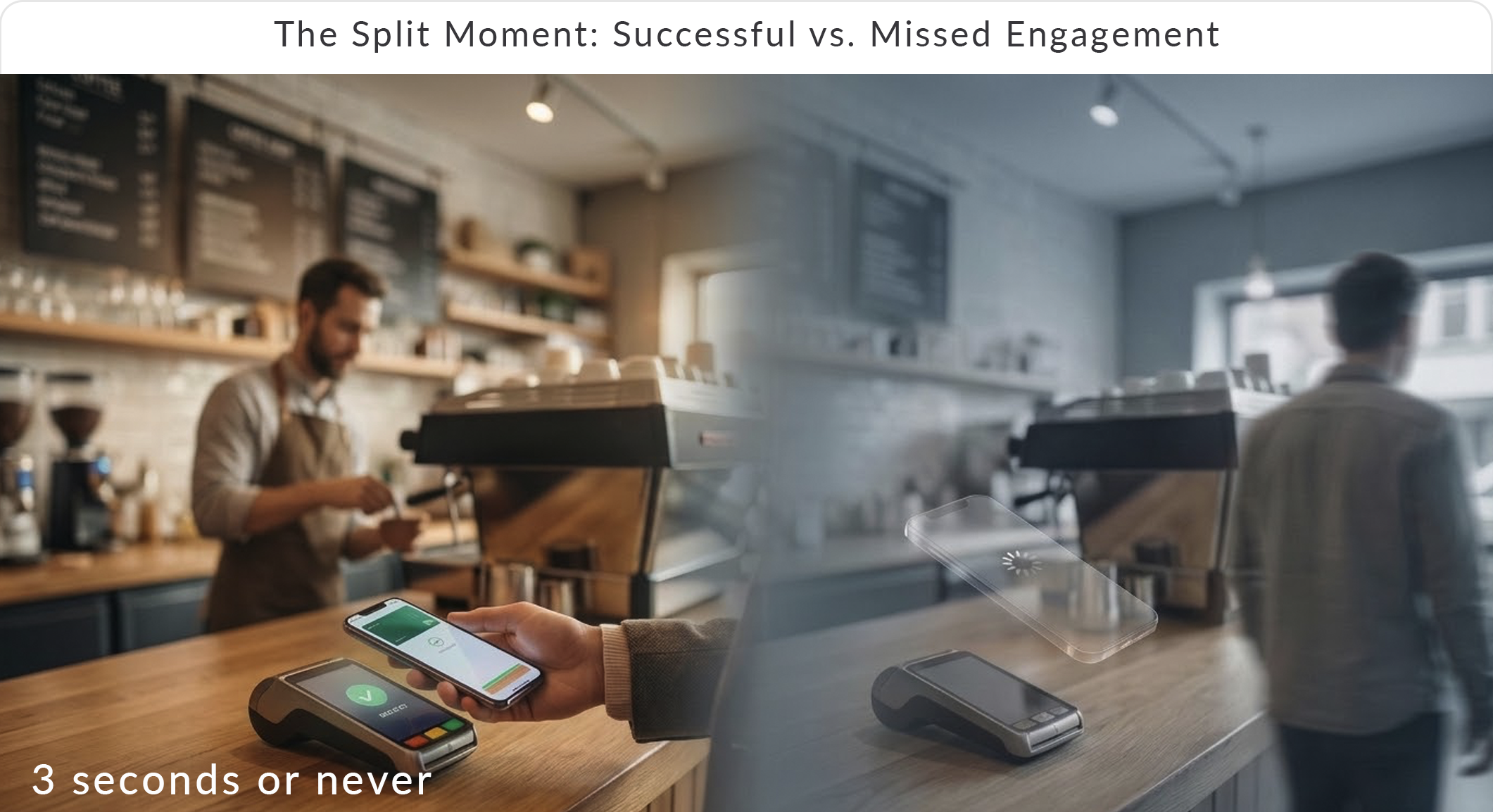
The question is not: "How valuable is the reward?" The question is: "Is it visible at the counter?"
The Architecture
Loyalty is not a screen. It is a system.
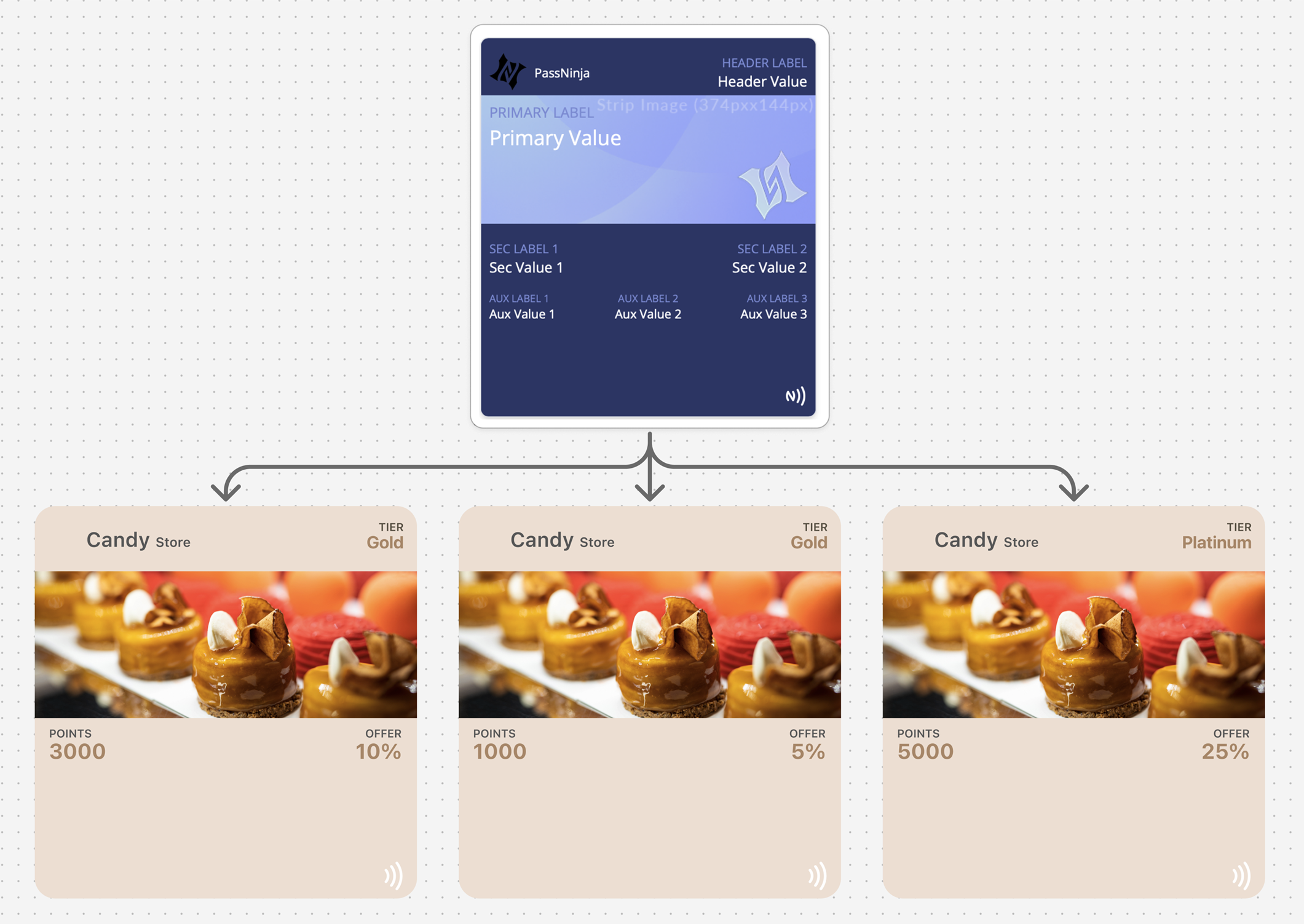
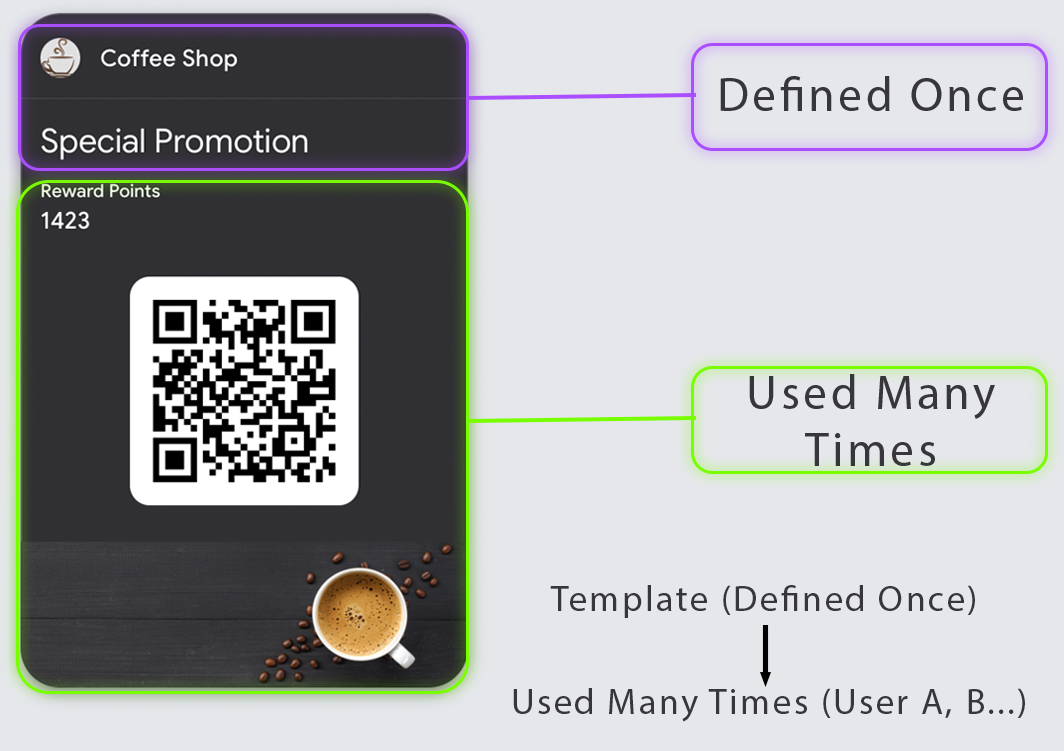
The template is defined once — and reused across every member.
The two layers
Program (Fixed)
- Brand
- Structure
- Rules
- Reward logic
Member (Variable)
- Name
- Points or balance
- Tier or status
- Activity
One program, many members. One template, many passes. The pass reflects current state, not static information.
The Coffee Shop Test
Picture the morning rush. Ten people in line. The barista is moving fast.
A customer holds out their phone: "I have a free drink."
In a well-designed system:
- Barista scans the pass
- "Free medium drink" appears clearly
- One tap confirms redemption
- Pass updates to show "Reward redeemed"
- Customer steps aside. Next.
In a poorly designed system:
- "Can you scroll to the QR code?"
- "Is this still valid?"
- "Which reward is this for?"
- Line backs up. Stress rises. Trust erodes.
The difference is design. Every choice you make either speeds this moment or slows it.
Two Modes of Loyalty
Every loyalty interaction falls into one of two modes:
Mode 1: Identify The pass answers: "Who is this customer?"
- QR scan associates purchase with account
- Works even when no redemption is happening
- Foundation for earning points automatically
Mode 2: Redeem The pass answers: "What can they claim right now?"
- Requires crystal-clear eligibility display
- Must survive staff skepticism and customer confusion
- State must change visibly after redemption
Design these modes separately. A pass that handles identification well may still fail at redemption clarity.
| Mode | Primary Question | Design Focus |
|---|---|---|
| Identify | Who is this customer? | Fast, reliable scanning |
| Redeem | What can they claim? | Clear eligibility and state change |
Picking the Primary Truth
A loyalty pass must be opinionated. Choose one primary truth:
- Points balance — progress toward rewards ("450 / 500 points")
- Tier status — entitlement level ("Gold Member")
- Reward available now — action trigger ("Free coffee ready!")
- Visits remaining — countdown ("2 more visits to free item")
If you show all four equally, the pass becomes a dashboard. Dashboards fail at checkout.
The Redemption Clarity Standard
Your design must make three things obvious at a glance:
- What the reward is — "Free medium drink" not "Reward available"
- Whether it's available now — unambiguous yes/no state
- What changes after redemption — the pass should look different after use
If staff have to interpret terms or check eligibility rules, redemption becomes inconsistent. Disputes follow.
The Thin Pass Strategy
Most loyalty passes try to be everything: points tracker, reward catalog, tier explainer, terms repository, and marketing channel.
Design a thin pass instead:
Primary view:
- Identity credential (QR/barcode)
- One primary truth (points, tier, or reward)
Back of pass:
- Supporting details
- FAQ links
- Program terms summary
App link:
- Full history
- Account management
- Detailed reward catalog
The pass is the door, not the room.
| Location | Content | Purpose |
|---|---|---|
| Primary view | Credential + one truth | Checkout speed |
| Back of pass | Details + links | Quick reference |
| App link | Full account access | Deep management |
When to Update
Update for state changes, not marketing:
- Points earned from purchase
- Tier upgraded or changed
- Reward unlocked
- Reward redeemed
- Balance adjusted or refunded
Never update for:
- Promotional messages
- "Check out our new menu!" pushes
- Content unrelated to account state
Every unnecessary update diminishes the signal value of necessary ones.
Platform Reality
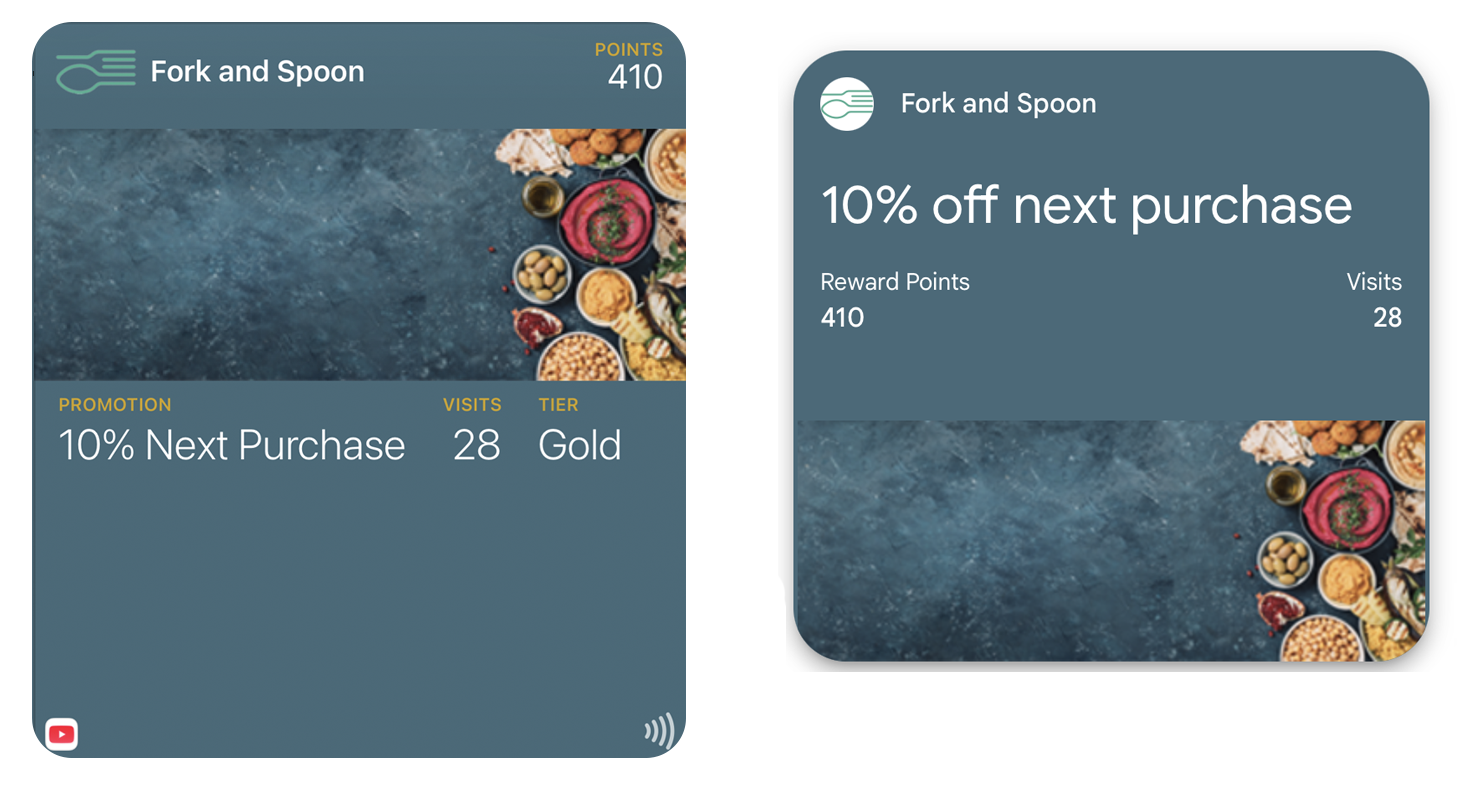
Both platforms enforce structure differently:
Apple Wallet: The layout is predefined. Only data evolves. Consistency is guaranteed.
Google Wallet: The template is called a "Class." The system adapts — the same data may render differently depending on context.
In both cases: You define the template once. The system decides how it appears.
| Feature | Apple Wallet | Google Wallet |
|---|---|---|
| Pass type | storeCard | LoyaltyObject |
| Points display | Primary/secondary fields | loyaltyPoints field |
| Tier display | Header or auxiliary field | accountName/tier fields |
| Update mechanism | APNs push | API update |
Common Mistakes
QR embedded in strip image — Breaks scan reliability. Always use native barcode fields.
Too many rewards visible at once — No clear "active reward" creates confusion.
Content that requires reading — If checkout requires paragraphs, the pass has failed.
Treating the pass as a marketing banner — Promotional content competes with functional clarity.
No visible state change after redemption — Customers and staff cannot confirm the transaction completed.
The Shift
Stop improving the rewards. Start fixing the presence.
The transaction takes 3 seconds. If loyalty takes longer, it loses.
Wallet passes live where payment lives. They surface at the location. They update in real time. They require no app, no login, no memory.
That's not a better loyalty program. That's the only loyalty program that works.
More articles in Pass Type Design
A person approaches the door at 2AM. The guard looks at the screen. The pass is unclear. The guar...
Designing Coupons, Offers & VouchersA coupon that arrives late does not exist.
Designing Event TicketsEvent tickets are context-bound. The context is the event.
Designing Gift Card PassesA gift card isn't just stored value. It's a gift someone chose.
Designing Identity PassesIdentity passes prove who someone is. They don't grant access, trigger actions, or validate trans...
Designing Membership PassesA membership pass must survive the front desk moment — with untrained staff, busy lines, and memb...
Designing Poster / Enhanced Event TicketsEvery creative team asks the same question:
Designing Stored Value & Balance PassesStored value passes track units — sessions, visits, credits, punches, rides, meals.